Application Work-Flow
Find below the quick tour on application screenshots.
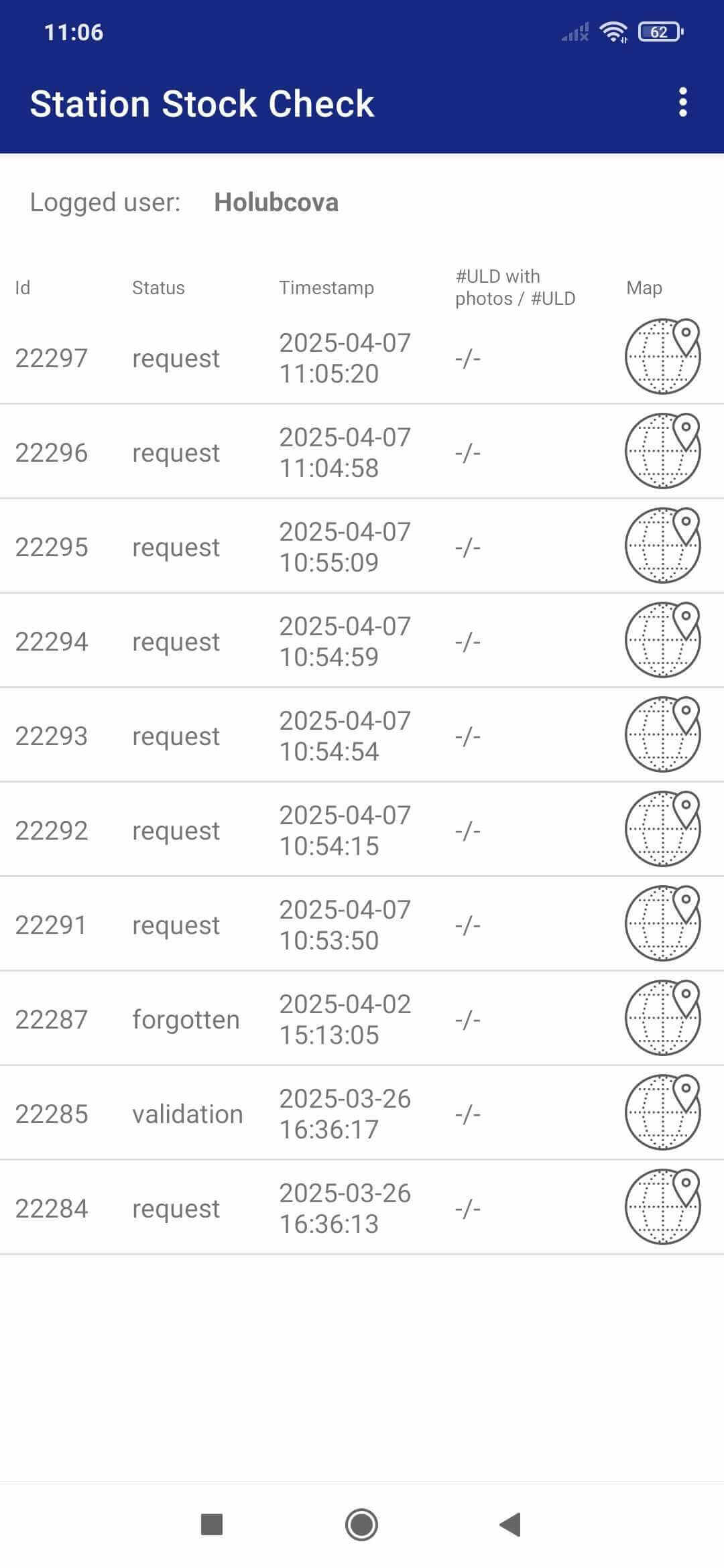
Step 1
Choose the stock check request

Step 2
Do the check for all ULDs in the list. Mark the ULD presence and conditions. Take snapshots.
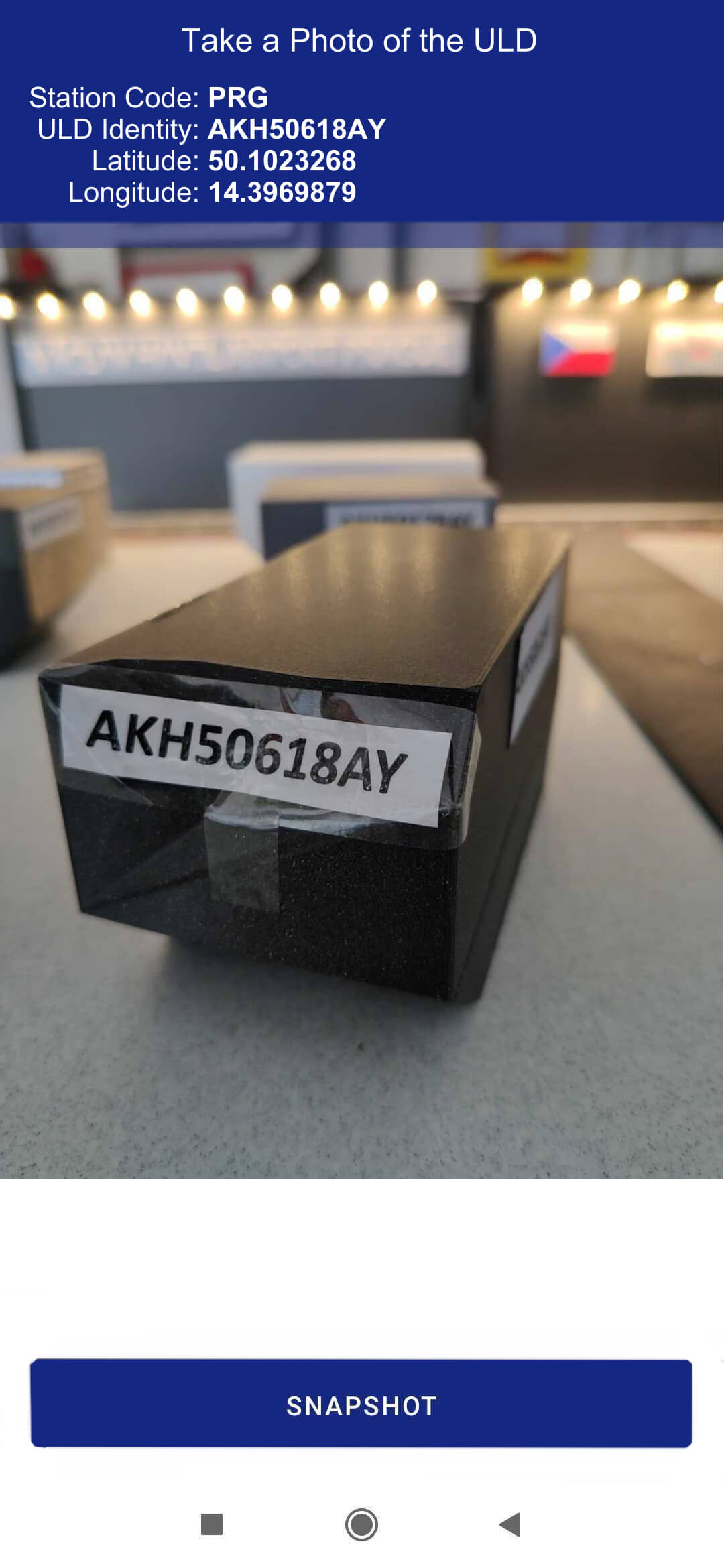
Step 3
Take snapshot. Notice assigned coordinates. GNSS metadata are stored in a photo.
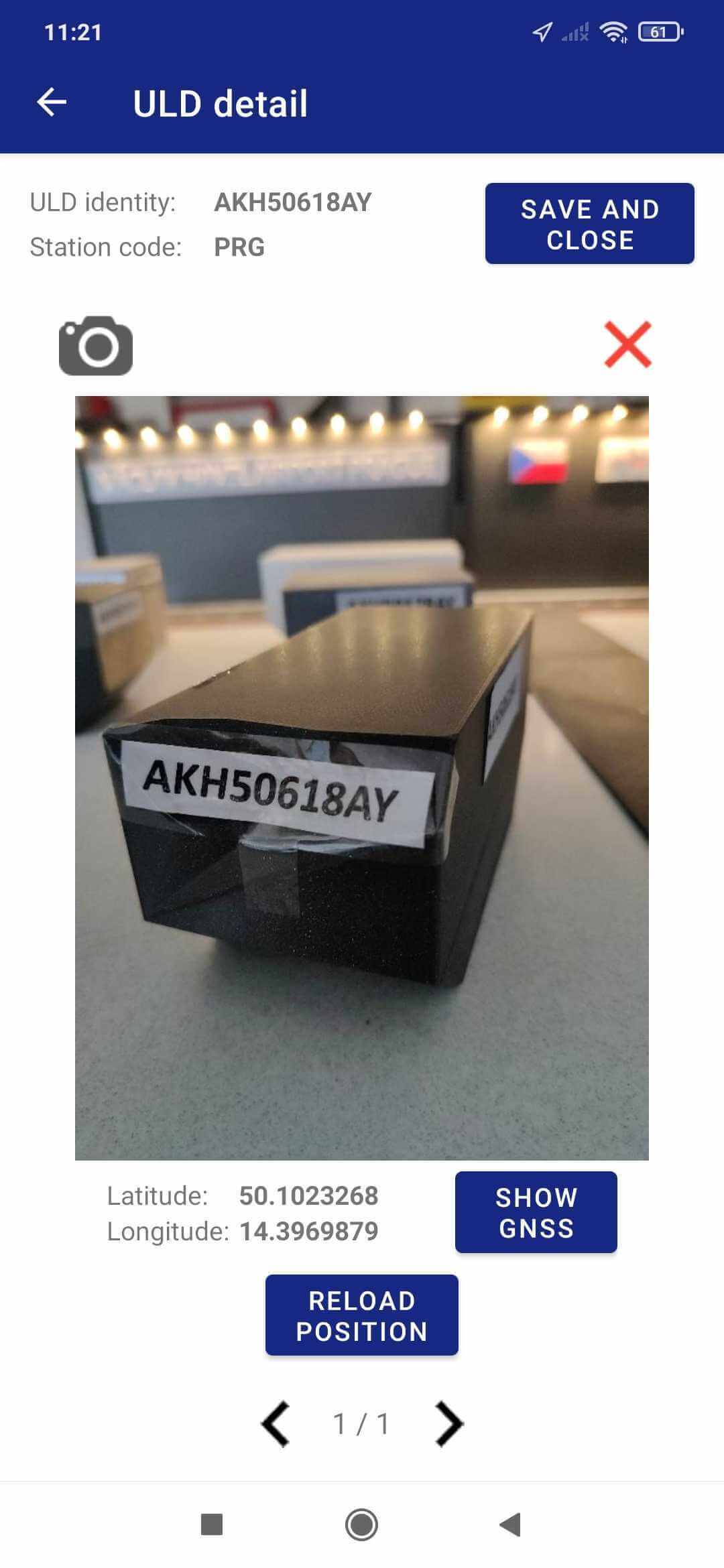
Step 4
Repeat process for all ULDs. More photos for the ULD from various sides and angles is possible.
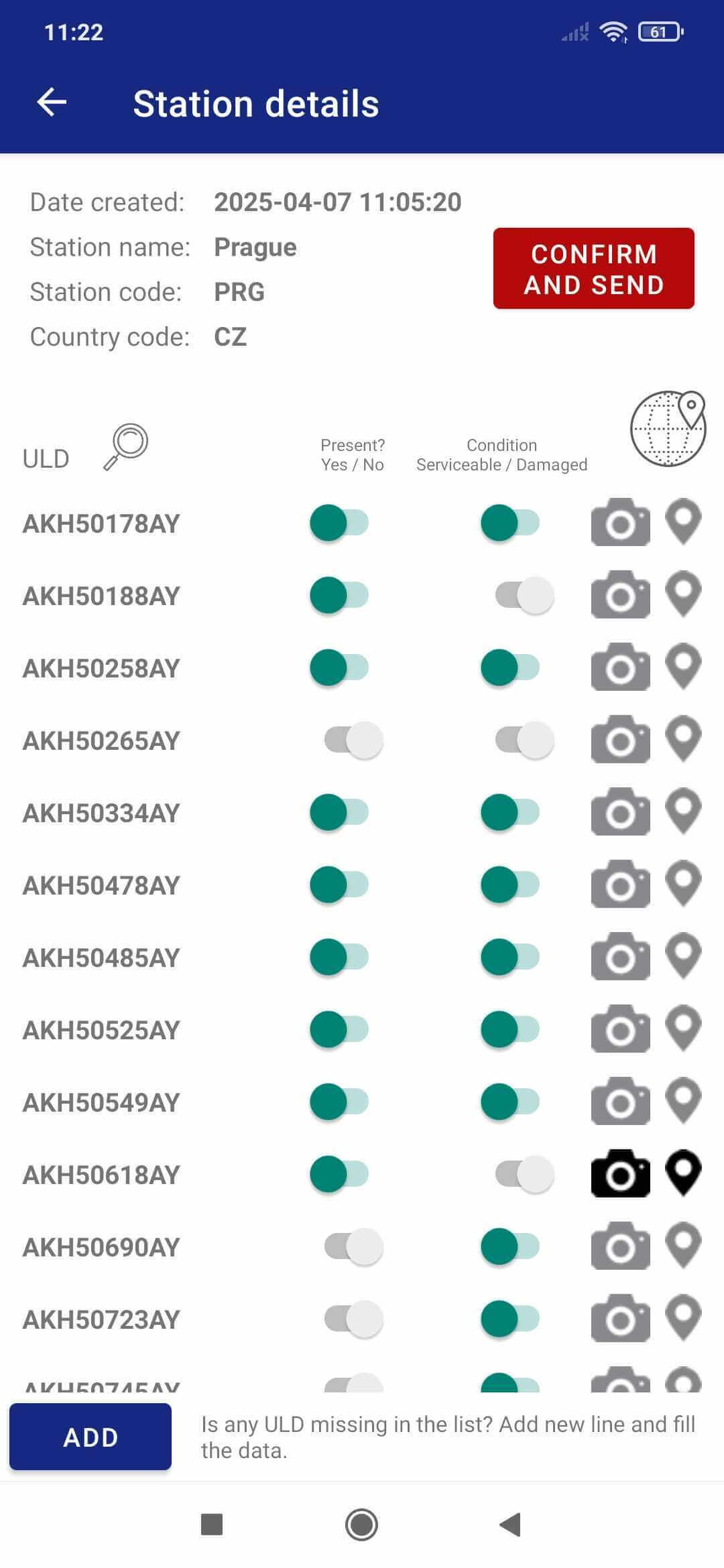
Step 5
Confirm and send finished stock check.
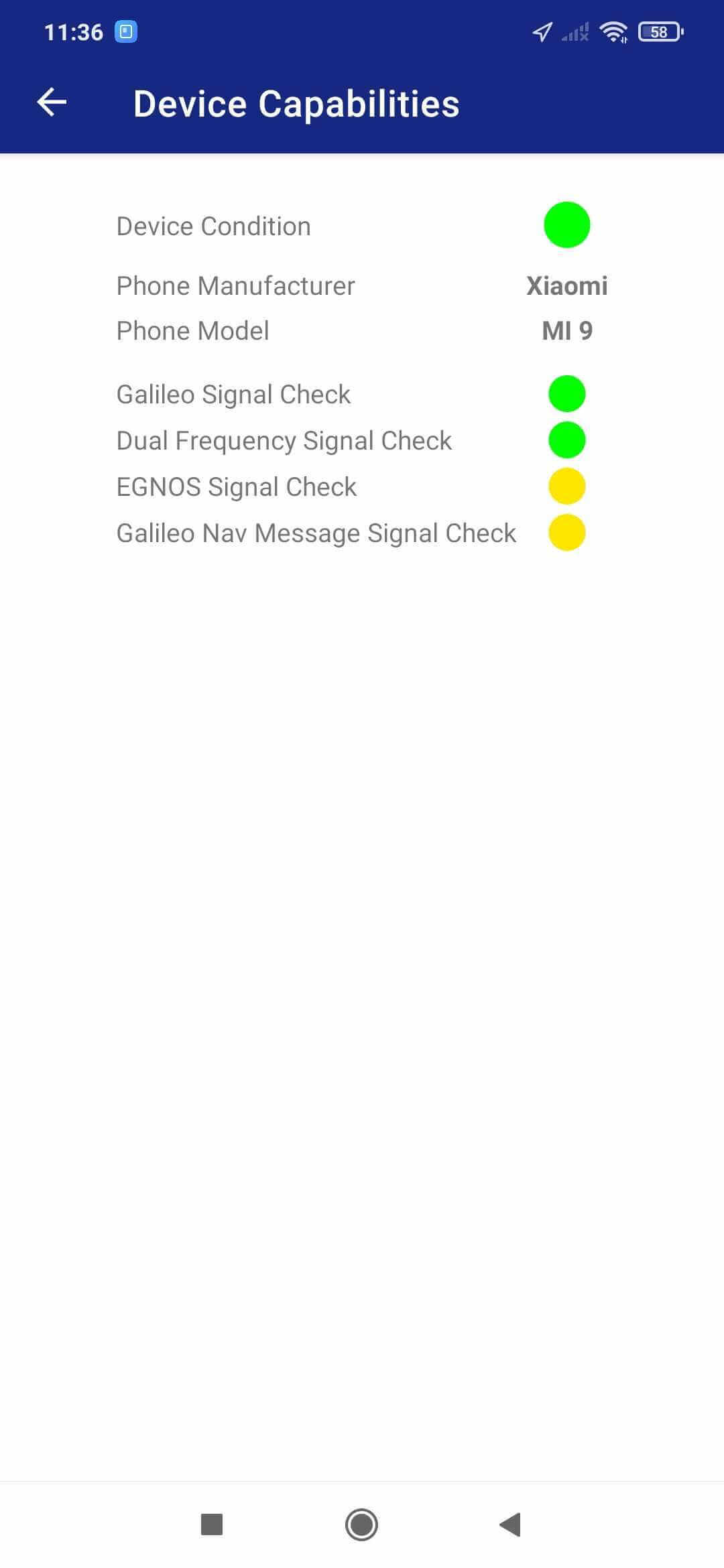
Feature
device GNSS capability check
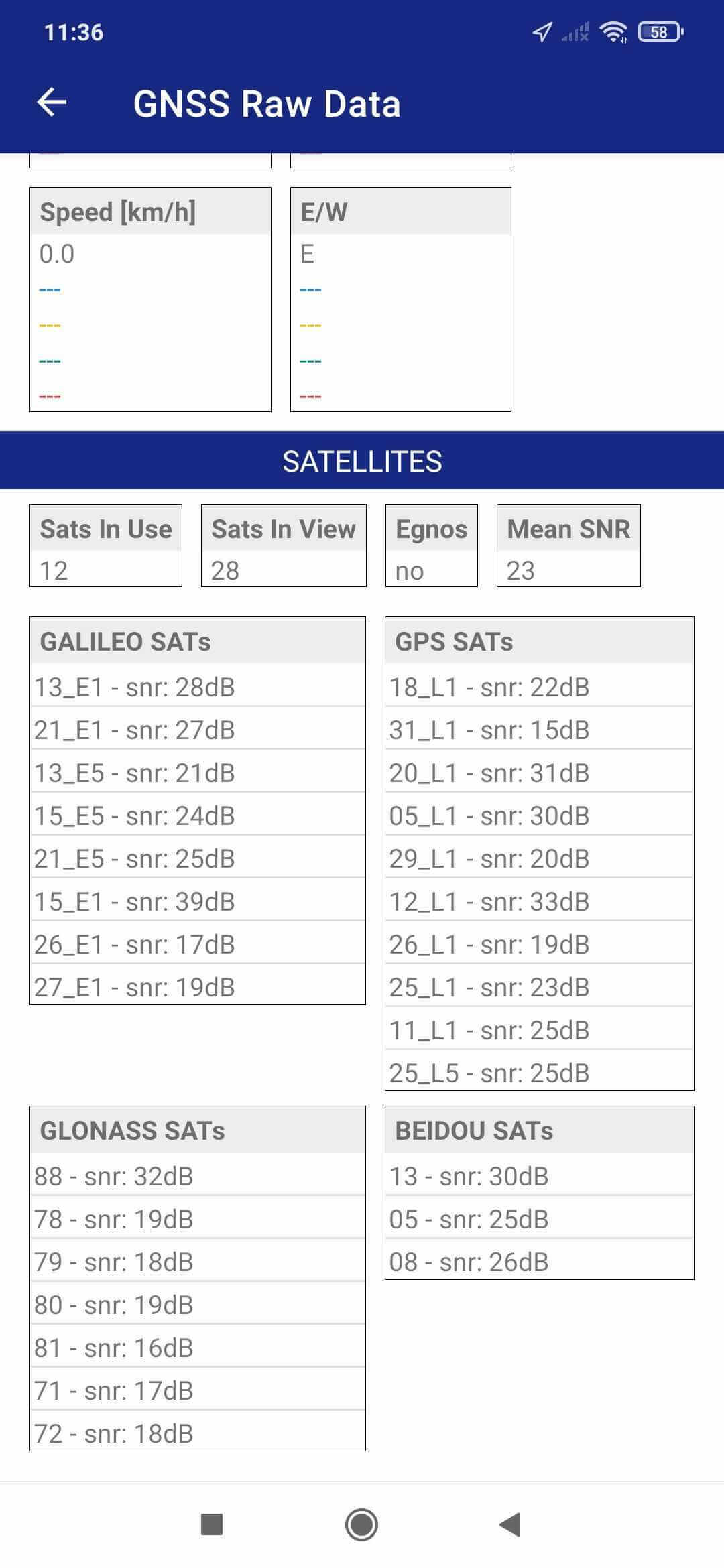
Feature
Each photo is assigned with coordinates and full GNSS data record.